
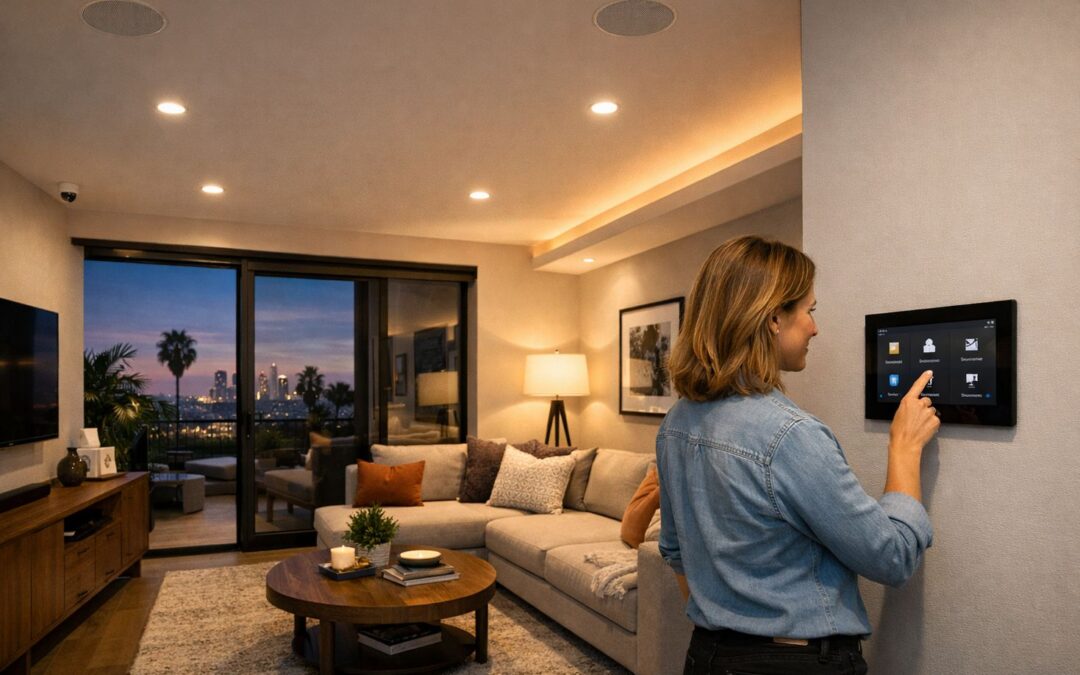
A wireless smart security camera is popular for a simple reason: it gives homeowners and property owners a more flexible way to monitor what matters without the limits of traditional wired setups. With app access, motion alerts, live viewing, and easier placement around entry points, driveways, or shared spaces, these cameras fit naturally into modern smart home decision-making.
For many buyers, the appeal comes down to convenience and control. You can check in remotely, receive notifications when activity is detected, and often adjust settings from your phone in minutes. A wireless smart security camera can also be easier to expand over time, whether you want to cover one doorway or build a broader home security camera system that works with lights, locks, and voice assistants.
This guide explains what to look for before you buy, including key features, camera comparisons, connectivity, storage options, setup basics, and how these devices fit into a larger smart home setup. It also covers when a simple DIY installation may be enough and when professional help makes more sense.
What a Wireless Smart Security Camera Actually Means
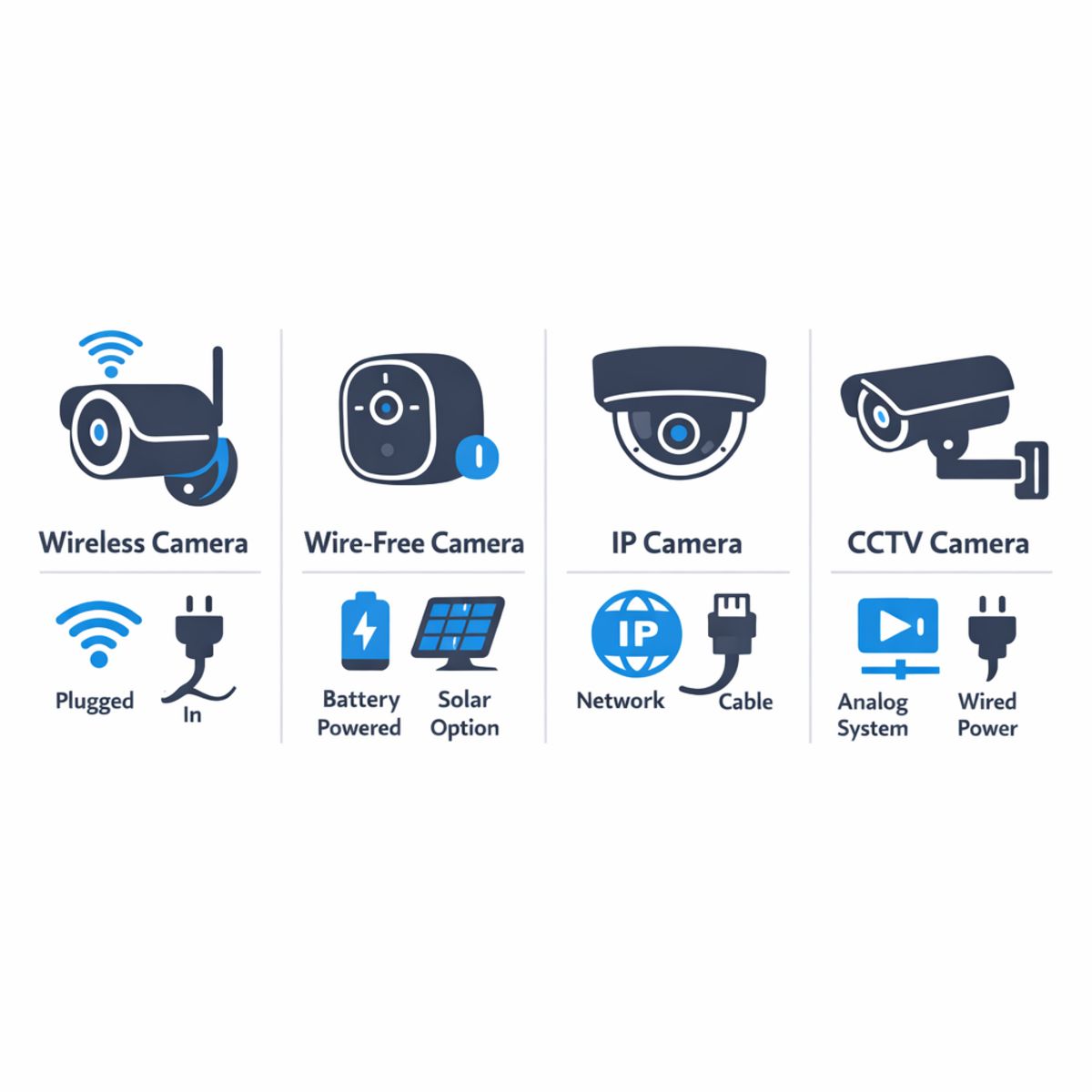
A wireless smart security camera usually means the camera sends video data over WiFi or another network connection, but it may still need a power cable. That is why “wireless” does not always mean “no wires at all.” In everyday home security shopping, people also use terms like smart security camera, IP camera, and CCTV camera interchangeably, even though each term highlights a slightly different part of the system.
Wireless vs. wire-free
The simplest way to think about it is this: wireless describes how the camera communicates, while wire-free describes how it gets power. A wireless camera often connects through WiFi but plugs into an outlet for continuous power. A wire-free camera usually runs on a battery, so it can be placed in more locations without nearby wiring. That flexibility is useful, but it also means you need to recharge or replace batteries over time. For example, a front porch camera mounted far from an outlet may be better as a wire-free model, while a driveway camera that records all day may benefit from wired power.
How IP cameras and CCTV fit in
An IP camera is a camera that sends video over a network, which makes it a common type of modern wireless smart security camera. CCTV camera originally referred to older closed-circuit systems, often with direct cabling to a recorder. Today, many homeowners still say CCTV when they really mean any home security camera system, including networked and app-connected models. If you want a deeper explanation of how these terms overlap in real homes, see this modern CCTV and smart camera guide.
In short, the most important questions are whether the camera uses WiFi, whether it needs wired power, and how it stores and shares video. Understanding those basics makes it much easier to compare features without getting lost in industry jargon.
Key Benefits of a Wireless Security Camera System
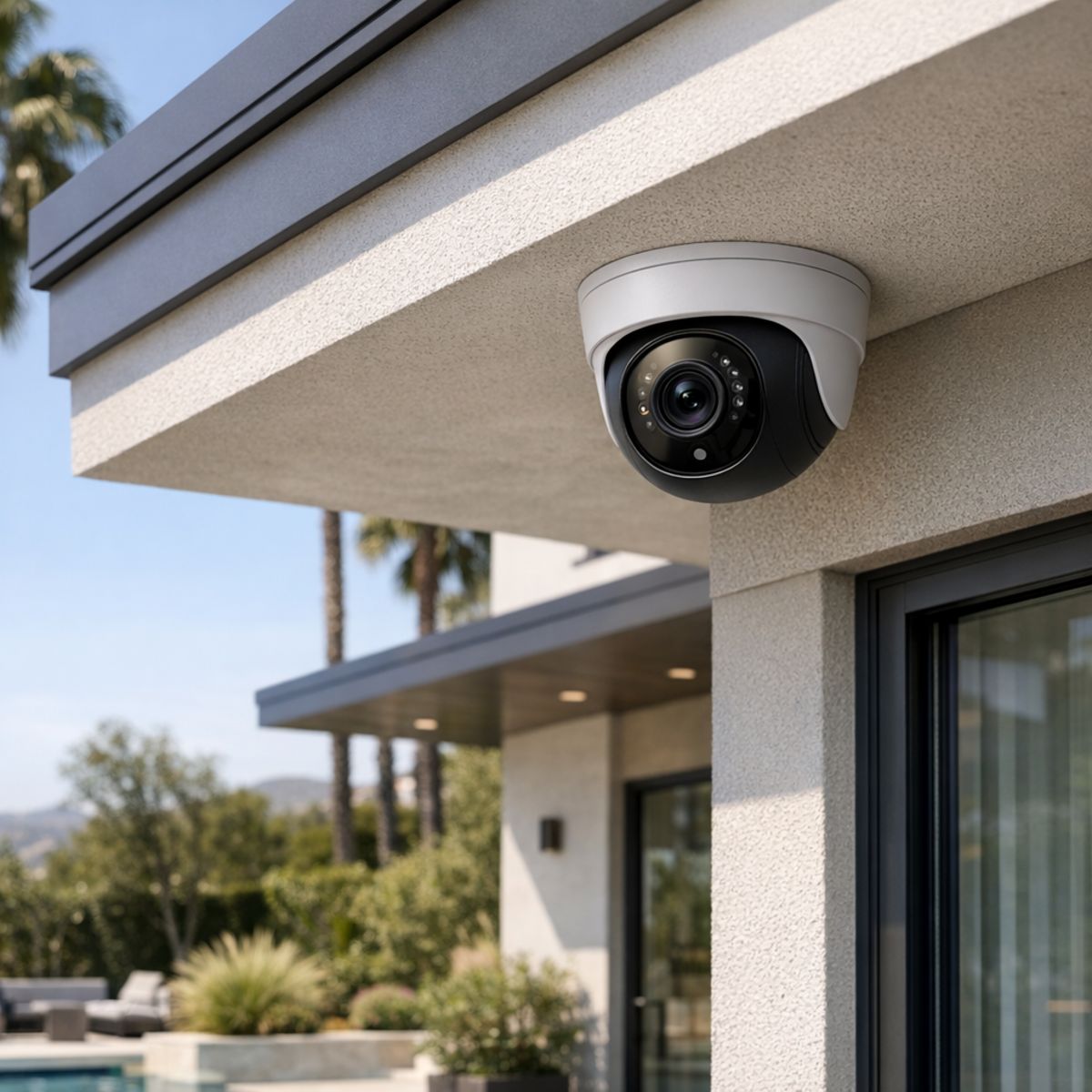
A wireless security camera system gives homeowners more than basic video coverage. It adds everyday convenience, better visibility around the property, and more control over what is happening at home whether you are in the next room or away for the day. For many households, the biggest advantage is how easily these systems fit into real life without requiring a disruptive retrofit.
Because placement is more flexible, cameras can be added where they matter most, from front doors and driveways to side yards, garages, and key interior spaces. That makes it easier to protect the areas you use most while keeping the installation clean and visually discreet. As needs change, additional cameras can often be added over time, making the system easier to scale with your home and lifestyle.
Flexible placement with less disruption
Wireless connectivity helps simplify camera placement in spots that support better coverage and a cleaner finished look. Homeowners benefit from less invasive retrofits, fewer visible compromises, and a design that feels more natural with the home’s architecture. The result is security that feels intentional rather than added as an afterthought.
A better fit for connected living
Modern systems also support remote viewing, smart alerts, and integration with other connected devices. That means you can check live video from a phone or touch panel, respond faster to activity, and connect cameras with lighting, locks, and broader home controls for a smoother daily routine. When designed well, these features create more peace of mind and a stronger sense of control.
For homeowners who want dependable performance and a polished result, professionally planned professional security camera installation services. can help turn these benefits into a system that truly fits the property.
Wireless vs. Wired vs. Wire-Free Cameras
When comparing the best home security cameras, the right choice usually depends on coverage goals, available power, and how stable your network is. A home security camera system does not need to be all one type. In many homes, the smartest setup is a hybrid approach that uses each camera style where it performs best.
Power and reliability differences
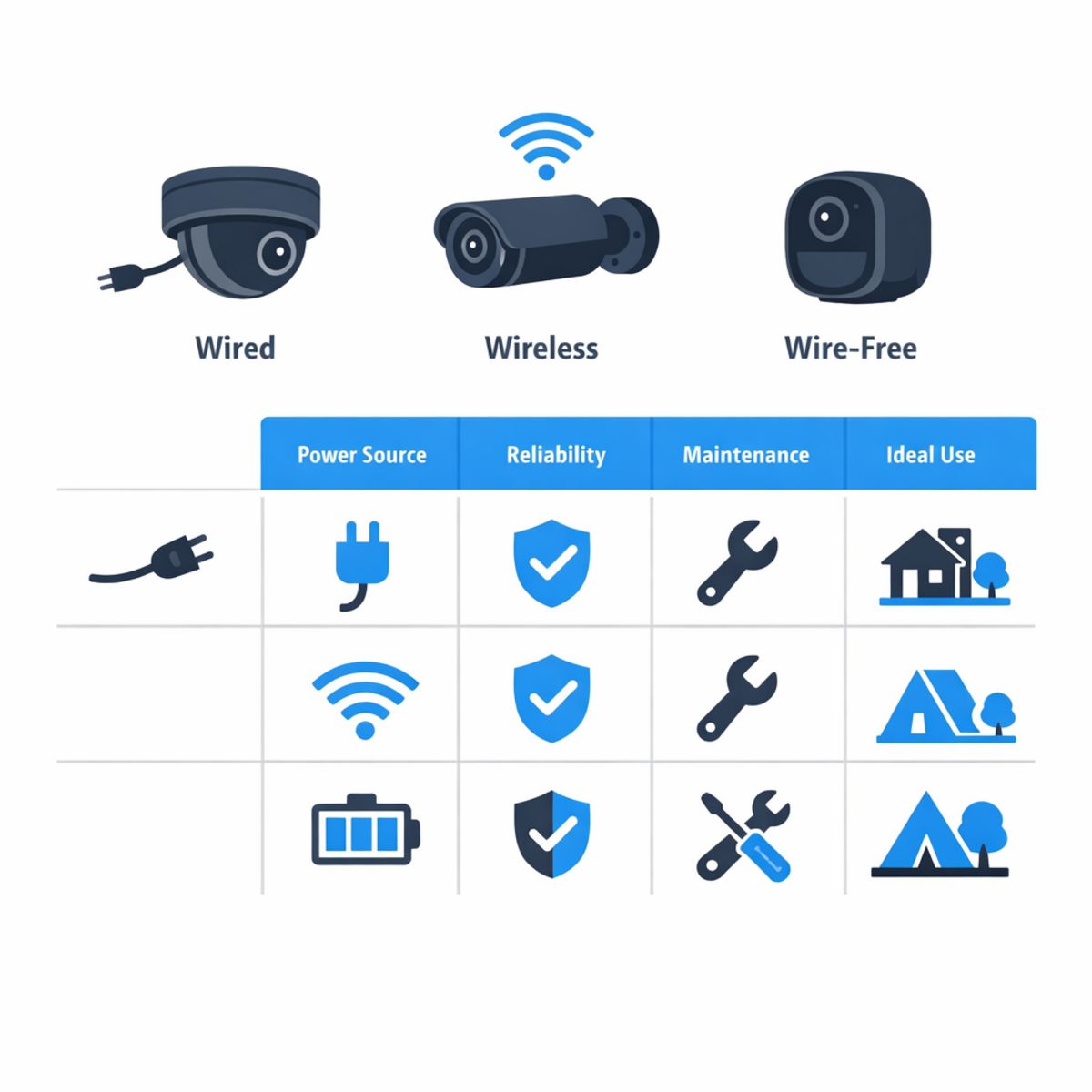
Wired cameras are typically the most consistent for power and uptime. Because they are hardwired, they are well suited for continuous recording, larger properties, and locations where you do not want to think about charging batteries. They can involve more installation work, but they still excel when reliability and steady video performance matter most.
Wireless cameras usually send video over WiFi but still need a power source. That makes them easier to place than fully wired systems while avoiding battery maintenance. Their performance depends more on signal strength, so network quality can affect alerts, live viewing, and recording consistency.
Wire-free cameras run on batteries and connect without a power cable, which makes them useful for fast deployment and hard-to-wire spots. The tradeoff is more maintenance, since batteries need charging or replacement, and some models limit continuous recording to preserve power. If you are evaluating battery-based options, this wire-free security camera planning guide can help clarify placement and expectations.
Which type fits which scenario
For front doors and main entry points, wireless or wired cameras are often strong choices because they support dependable monitoring in high-traffic areas. For detached garages, gates, or side yards where power is harder to reach, wire-free cameras can be practical. For full-property coverage, wired systems often provide the most stable long-term foundation, while wireless units can fill in areas where cabling is less convenient.
In other words, no single format is always best. A mixed home security camera system may combine wired cameras for core coverage, wireless cameras for flexible expansion, and wire-free cameras for select remote zones. That balance often delivers better day-to-day results than forcing one camera type into every location.
Features That Matter Most Before You Buy
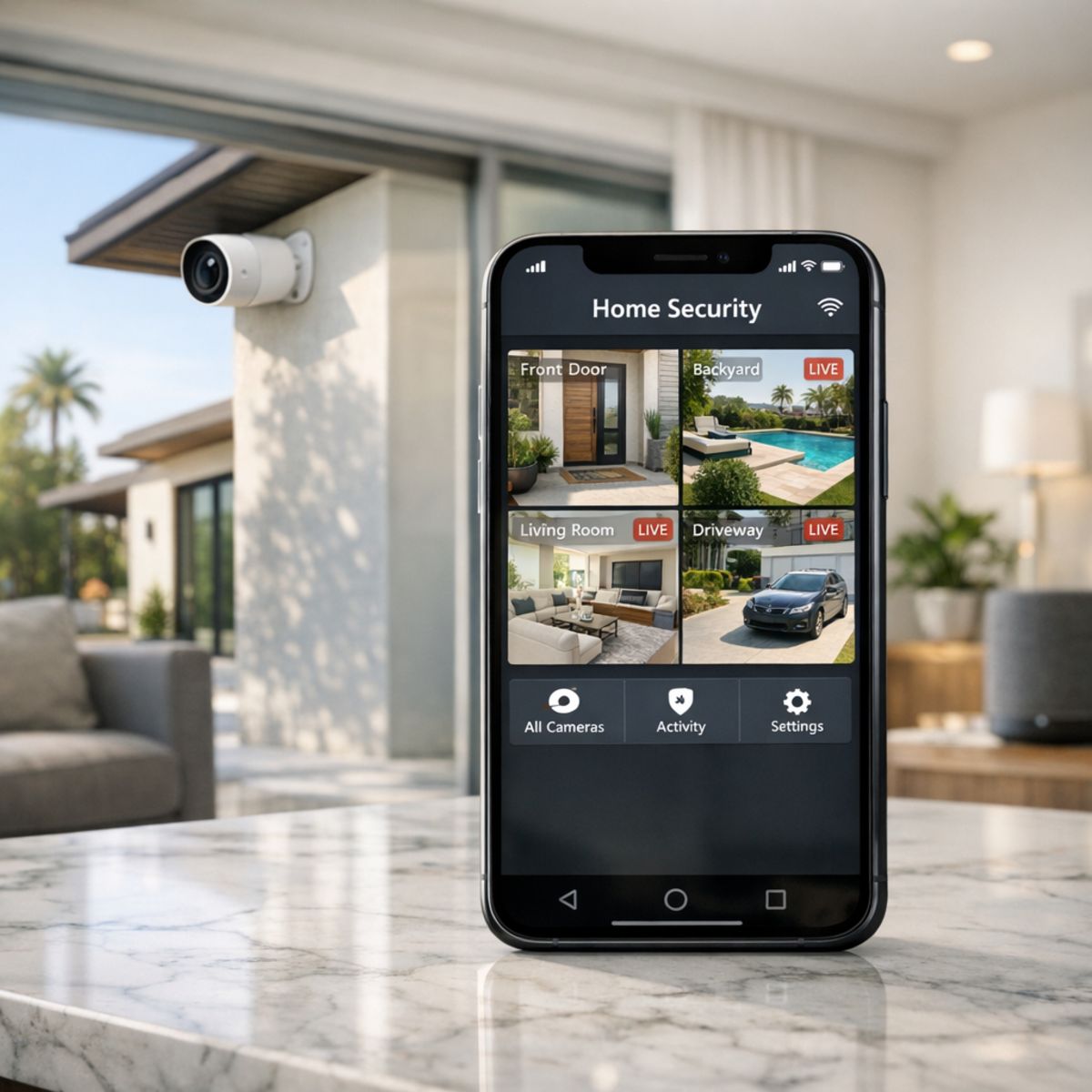
When comparing the best home security cameras, the most important features are the ones that improve daily use, not just the ones that look impressive on a spec sheet. A strong camera setup should balance hardware, software, and overall system design so you get clear footage, reliable alerts, and an app you will actually want to use. If you want more smart home security camera buying tips, it helps to start with the features that directly affect performance and long-term value.
Video quality and smarter alerts
Resolution matters because sharper video makes it easier to identify faces, packages, vehicles, and activity near entry points. HDR can also make a big difference by helping cameras handle bright sunlight and deep shadows in the same frame. Night vision is just as important, since many key events happen after dark. Beyond image quality, field of view affects how much of your driveway, porch, or yard you can actually monitor without blind spots.
Smarter motion detection is another major decision factor. Basic motion alerts can create too many false notifications from trees, headlights, or pets. Cameras with person, package, and vehicle detection are usually more useful because they help you focus on events that matter. Two-way audio also adds practical value by letting you speak to visitors, delivery drivers, or anyone near the camera in real time.
Storage, app experience, and privacy
Before buying, look closely at storage options. Cloud storage can be convenient for remote access and event history, but it may require an ongoing subscription. Local storage can reduce recurring costs, though it may come with limits on retention or remote playback. Weather resistance is also essential for outdoor models, especially if the camera will face heat, rain, or changing seasonal conditions.
The app experience often determines whether a camera feels dependable over time. Fast loading, stable notifications, easy sharing, and clear playback controls all matter. Privacy controls should be part of the decision too, including encryption, user permissions, activity zones, and the ability to disable recording when needed. Finally, check integration compatibility with your broader smart home system so your camera works smoothly with displays, locks, lighting, or voice assistants instead of becoming a standalone device.
- Choose clear video, strong night vision, and a useful field of view.
- Prioritize person, package, and vehicle alerts over basic motion alone.
- Compare cloud and local storage for long-term ownership costs.
- Make sure the app, privacy settings, and integrations are as strong as the camera hardware.
How to Choose the Right Wireless Smart Security Camera
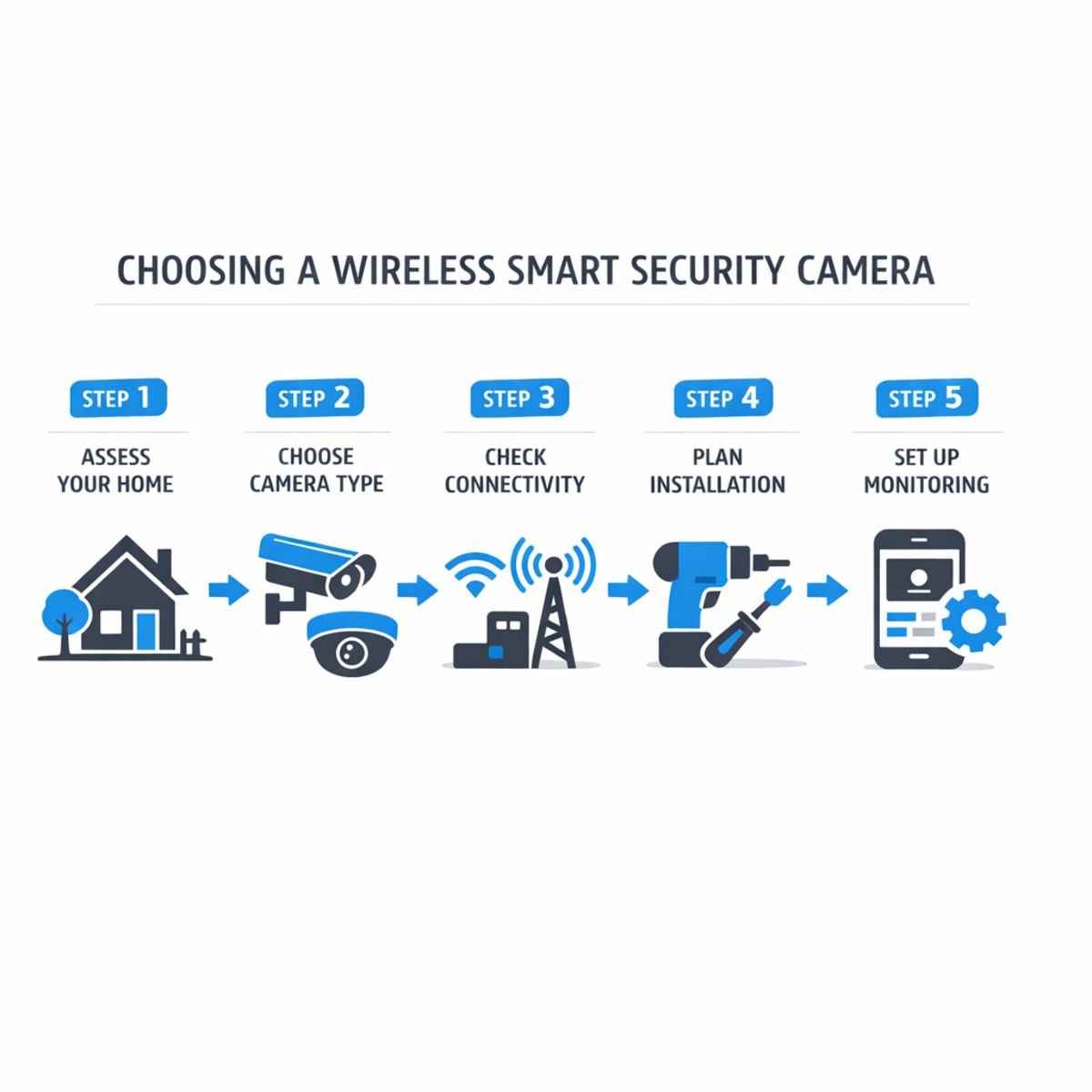
Choosing the right wireless smart security camera starts with your property, routines, and expectations. Instead of picking a model first, use a simple decision process to narrow down what will actually work well day to day. If your layout includes multiple structures, difficult WiFi conditions, or overlapping indoor and outdoor needs, it may help to get expert help with camera system design.
1. Define coverage goals and priority zones
List the areas that matter most: front door, driveway, side yard, garage, package drop-off, and main indoor entry points. Think about visibility goals first, not camera count. You may need wide views in some spots and tighter detail in others.
2. Decide on battery, powered wireless, or hybrid
Battery cameras are easier to place, but they may need more maintenance and can behave differently depending on motion activity. Powered wireless models usually support more consistent recording. Hybrid setups can balance flexibility and performance.
3. Check WiFi strength and network capacity
Before you buy, confirm that signal strength reaches every planned camera location. Weak coverage can affect video quality, alerts, and reliability. Also consider how many devices already share your network.
4. Choose storage and alert preferences
Decide whether you want cloud storage, local recording, or both. Then think about alerts: instant motion notifications, person detection, activity zones, and how often you want to review footage.
5. Confirm integration needs and installation plan
Make sure the system fits your app preferences, smart home devices, and installation constraints. Mounting height, viewing angle, lighting, and weather exposure all affect results. For more complex properties, professional planning can prevent weak coverage and unnecessary equipment.
What Impacts the Cost of a Wireless Camera Setup
The total cost of a wireless camera setup depends on more than the cameras themselves. Project scope often changes based on how many areas you want covered, whether you prefer cloud or local recording, and how much reliability you expect from the system day to day. A simple setup may work well for basic visibility, while a more complete design may require better placement, stronger networking, and tighter integration with other smart home features.
Hardware cost vs. system performance
Lower upfront hardware cost does not always mean better value. A camera that misses important activity, struggles with notifications, or delivers inconsistent app performance can create frustration over time. In many cases, long-term satisfaction comes from balancing image quality, coverage, recording reliability, and ease of use rather than choosing the least expensive option. If you are comparing options, this affordable security camera buying guide can help frame the decision around value.
Common hidden cost considerations
Common budget variables include subscription plans, battery charging or replacement, storage upgrades, installation complexity, and any networking improvements needed to keep cameras connected consistently. Larger homes or challenging layouts may also benefit from stronger home WiFi for cameras. When evaluating options, it helps to separate upfront equipment cost from the long-term value of a system that performs reliably and fits your goals.
Frequently Asked Questions
Common setup and performance questions
Are wireless smart security cameras truly wireless?
Not completely. Most wireless smart security cameras use WiFi for data, but some still need a power cable unless they run on batteries or solar power.
Do wireless security cameras work if WiFi goes down?
Sometimes. Many models can keep recording locally to onboard storage, but live viewing, app alerts, and cloud access usually stop until the internet connection returns.
Is a wireless smart security camera good for outdoor use?
Yes, if it is rated for outdoor conditions. Look for weather resistance, strong night vision, and a battery or power setup that can handle temperature changes.
What is the difference between a smart security camera and an IP camera?
A smart security camera usually includes app controls, motion alerts, and cloud features. An IP camera is a broader category of network camera and may be simpler or more advanced depending on the model.
How many cameras do most homes need?
Usually three to six. Most homes start with coverage for the front door, driveway, back yard, and main entry points, then add indoor cameras if needed.
When Professional Design and Installation Make Sense
If you want a camera system that feels reliable, well integrated, and easy to live with, professional help can be a smart next step. It is especially valuable for larger properties, layouts that need mixed indoor and outdoor coverage, homes with weak WiFi zones, or projects that need to connect cleanly with broader automation features.
Projects that benefit from expert planning
Expert planning can help you avoid blind spots, reduce trial and error, and create a cleaner installation that fits the look of your home. It can also make setup simpler when you want dependable placement, stronger connectivity, and a system that works smoothly day to day without unnecessary complexity.
Smart Home LA can help you think through the right approach based on your space, priorities, and comfort level. If you would like guidance on a tailored recommendation or installation plan, feel free to reach out for a conversation.
Final Thoughts on Choosing the Right Camera System
Choosing the right wireless smart security camera comes down to fit, not hype. The best system for your home or business should match your coverage goals, power setup, network strength, must-have features, and the way you want it to work with other devices. When those pieces align, you get a camera system that is easier to trust and easier to use every day.
The simplest way to make a smart choice
Focus on reliability, usability, and how well the system fits your property and routine. A dependable camera with clear footage, stable connectivity, and practical alerts will usually serve you better than a feature-packed option that adds complexity without real value. If you keep your priorities clear, your next step becomes simple: compare options based on how they perform in real-world use and choose the system that supports your day-to-day security needs with confidence.